







eStatements
Simplify your life with eStatements
Advantages of eStatements

Replace paper statements with emails
Save time and remove clutter
Enroll online with ease
Simplify your life with eStatements
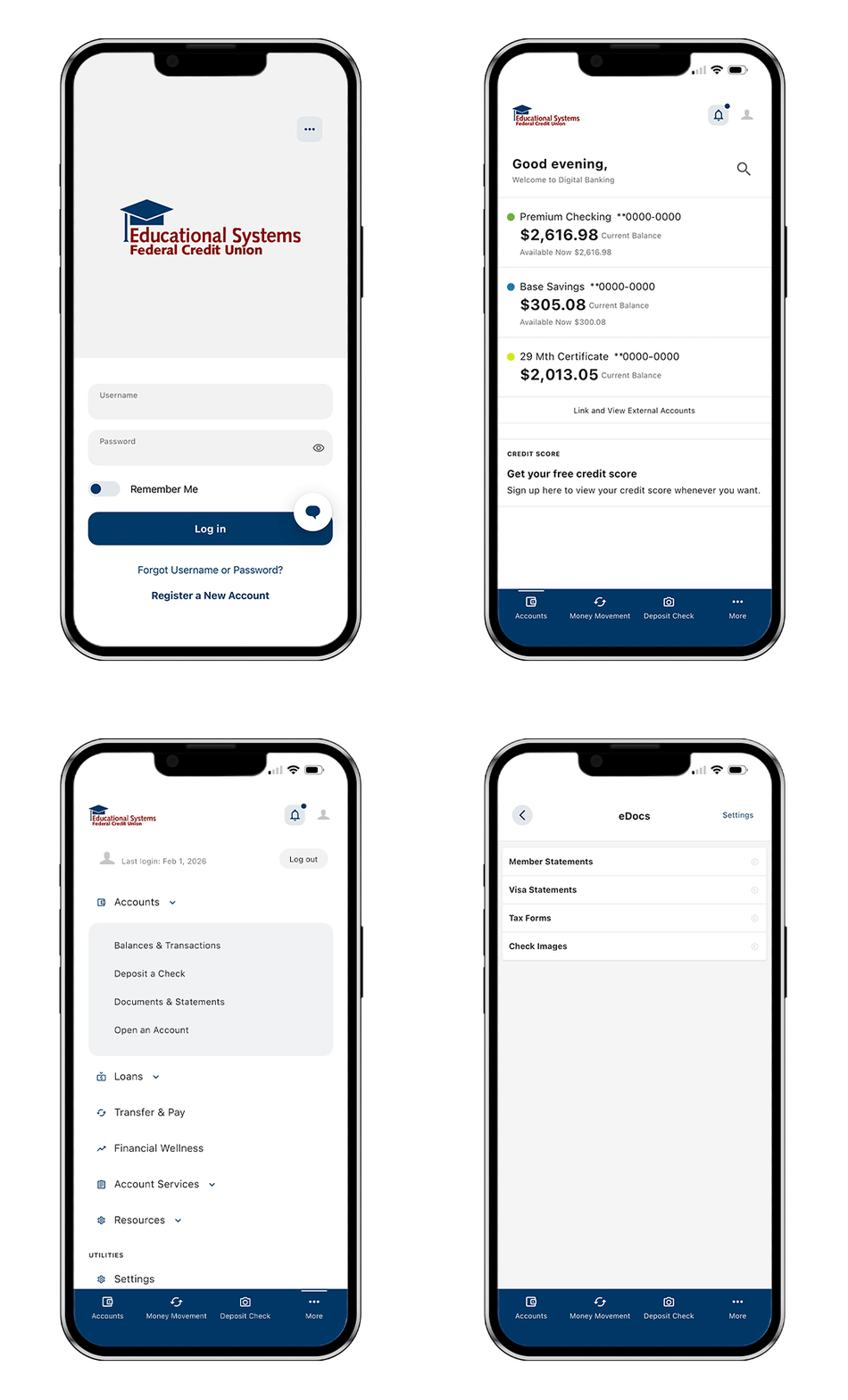
We’re all looking for ways to add time to our day and remove clutter from our lives. Add eStatements to your account and instead of receiving your paper statement in the mail, we'll send you an email notification when your statement is ready to be viewed through Digital Banking. If you ever need a paper copy, log in to Digital Banking and download your statement. You'll find statements for the previous 48 months.
ESTATEMENTS
Enroll in eStatements
- Log in to Digital Banking
- On the app choose “More” from the bottom menu. On desktop choose “Accounts” from the top menu
- Click on “Accounts” and select “Documents and Statements”
- Select which statement type you want to view
Frequently Asked Questions
Please follow our step-by-step guide to deposit a check at an Educational Systems Federal Credit Union ATM.
Member authentication is a security step that verifies your identity when you log in or complete certain transactions. It may require a one-time verification code sent by text message (SMS) or phone call, in addition to your username and password.
The password must be a minimum of eight characters and include the following:
- At least one upper case letter
- At least one lower case letter
- At least one number
- Optional: One special character: (!@%$^&*_+= () [] {} :;,./?)
Helpful Links
Financial Wellness is Within Reach

Rates
View our rates for your Checking and Savings accounts, Loans, and Credit Cards.

Calculators
Use our handy calculators to calculate a loan payment, budget your money and more.

Forms
Fill out our quick and easy applications and forms.