







FAQs
Frequently Asked Questions
Digital Banking Money Movement
To properly endorse your check, include the following:
Your Signature
For Mobile Deposit Only to ESFCU
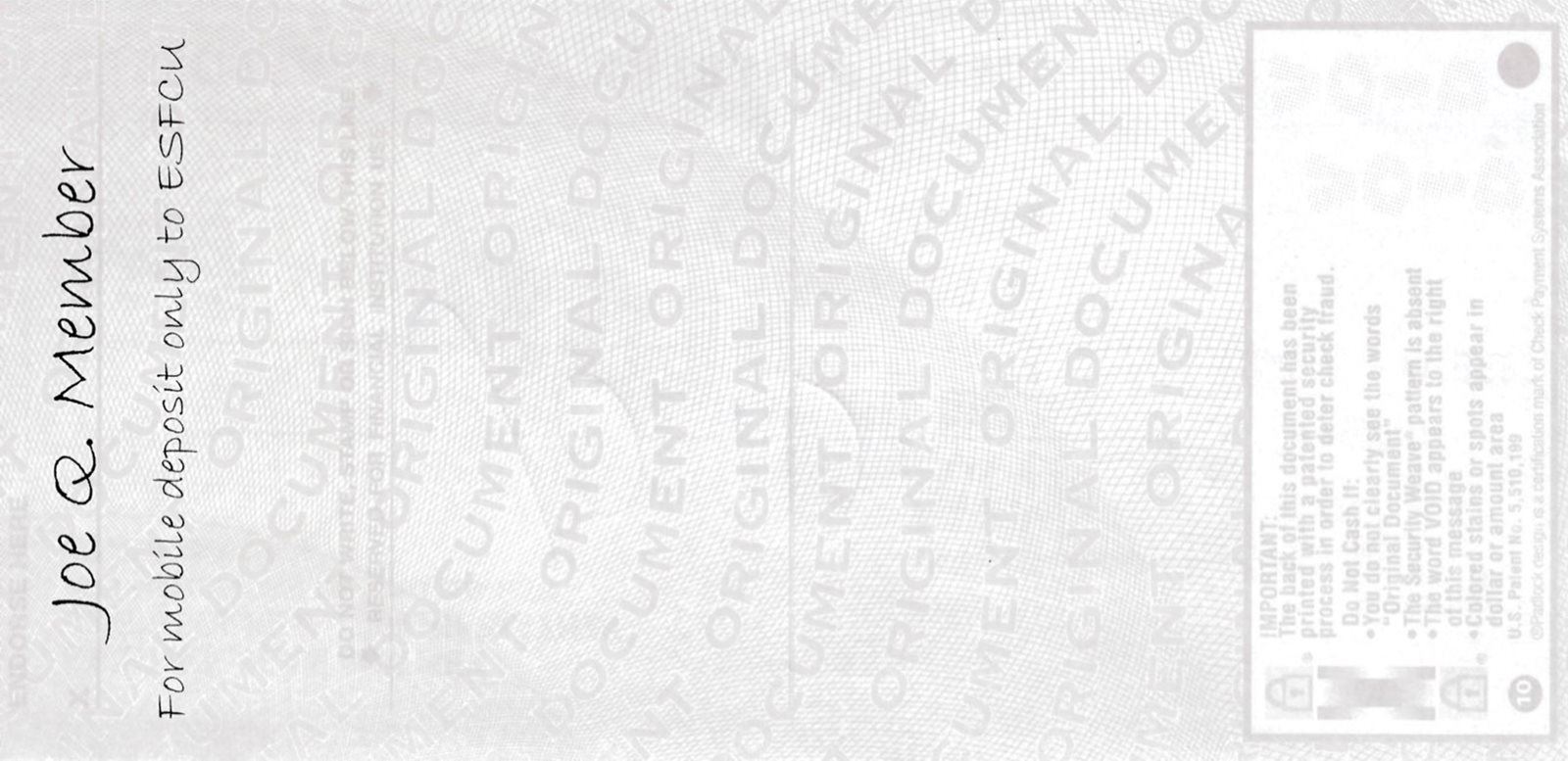
For best results, ensure the image of your check is inside the four corners of the box by zooming in or out as needed. The Digital Banking system won’t allow you to proceed unless the image is clear. In addition, use the proper check endorsement as indicated above. Keep the original check for five business days after the deposit is posted as you may be required to submit the original check.
Your deposit may be placed on extended hold and you may be required to submit the original check. Please keep the original check for five business days after the deposit has been made.
The maximum deposit amount is $5,000 per day.
Each check must be deposited individually and requires its own photo. There is no limit to the number of deposits you can make per day as long as the amount is us under the maximum deposit amount of $5,000.
Members can make deposits to checking and savings accounts. Once the deposited funds become available, you can transfer the money to a loan account to make a payment.
You will receive an email when the deposit has been received and a second email when the deposit has been approved.
The Credit Union standard Funds Availability applies to checks deposited through the Digital Banking app. Funds will show as Pending until they are posted to the account. Third party, stale-dated checks and checks that appear to be altered may require an extended hold time. In those cases, you will be notified by letter the day after the funds post to your account.
The Credit Union Funds Availability Policy specifies that deposits need to be submitted before 5:00 pm, Monday through Friday, to be considered deposited on the same day, excluding holidays. Deposits are not posted on holidays, Saturdays or Sundays.